Menu

FlowCRM app icon

FlowCRM for iPhone and iPad

Read up, then drive off

Before the meeting, you check in the car what you last discussed with the client. Afterwards, the note, the photo and the call are in the client file before you pull out of the parking lot. Even when you have no signal.

Coming soon to the App Store

FlowCRM in the browser

For everyone with a FlowSuite account and access to FlowCRM. Requires iOS 26.

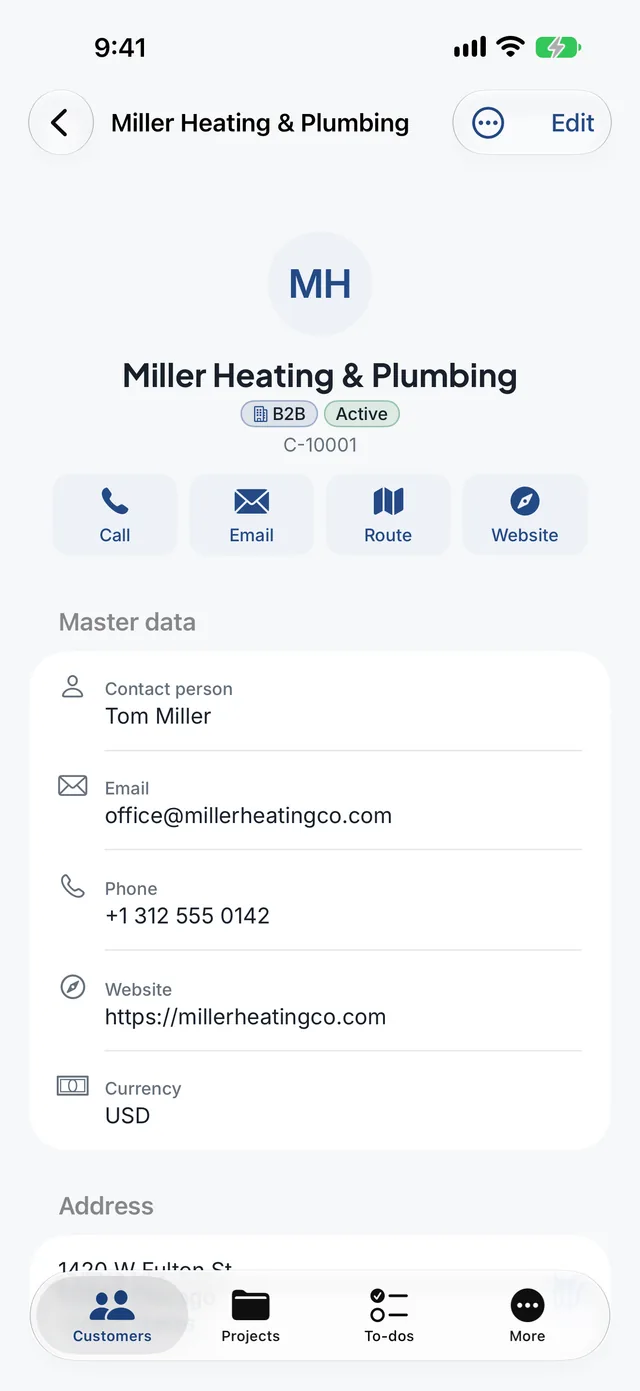
The FlowCRM app on iPhone: client file with contact details, recent timeline entries and open to-dos

After the meeting

In the client file in 30 seconds

The meeting is over and you are back in the car. You still remember exactly what was said, so you write it down before the next appointment.

  1. A note on the timelineOne entry on the client or project. If you would rather talk, dictate it to Siri.
  2. Add a photo or a scanThe photo of the whiteboard or the scanned delivery note goes straight to the client.
  3. Log the callWhen you call from the app, it asks afterwards whether to add the call to the timeline, with the rough duration already filled in.
  4. A to-do with a reminderAnything still open becomes a to-do with a due date, and the app reminds you when it is due.
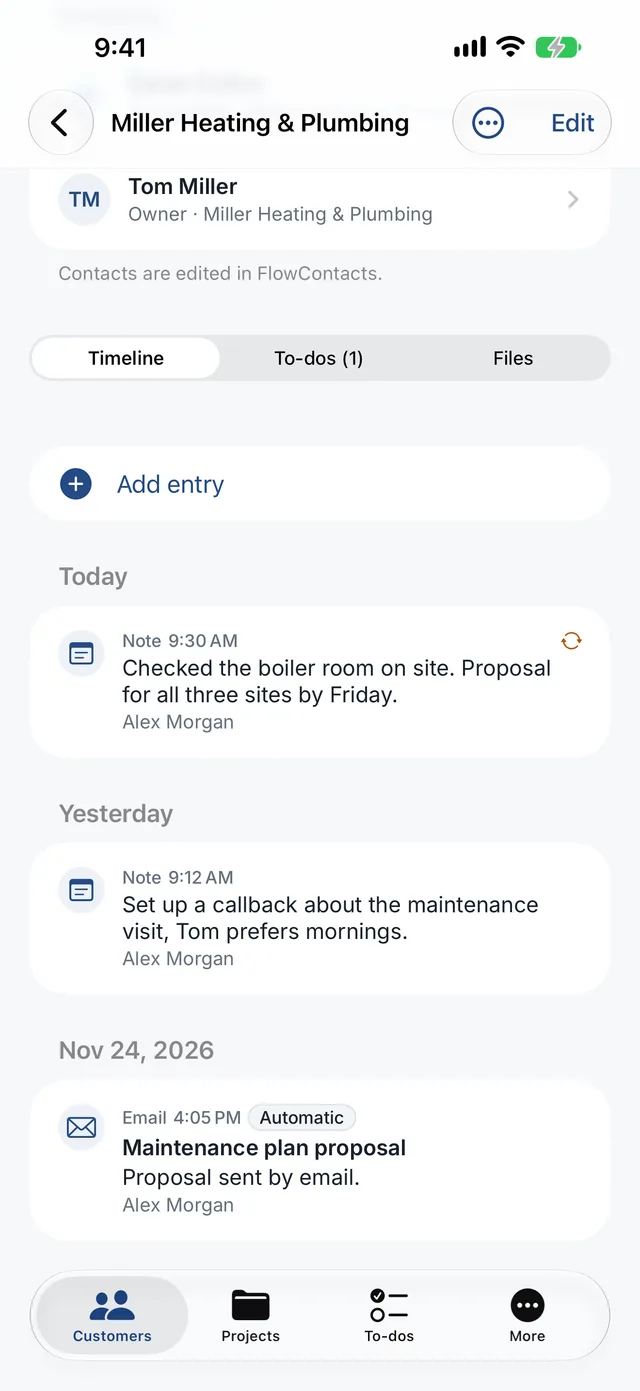
A client timeline in the app with a new note and a logged call

What else the app does

The app works with your FlowSuite account. Whatever you change on the road shows up in the client file on the web as well.

Files

Scanned, and already in the file

You upload photos, files and scans right on the client or project, several at once if you like. A scan with several pages is saved as one PDF. If you close the app mid-upload, it keeps going in the background.

  • Camera, Photos, the Files app and the document scanner as sources
  • Preview in the app, pass files on through the share sheet
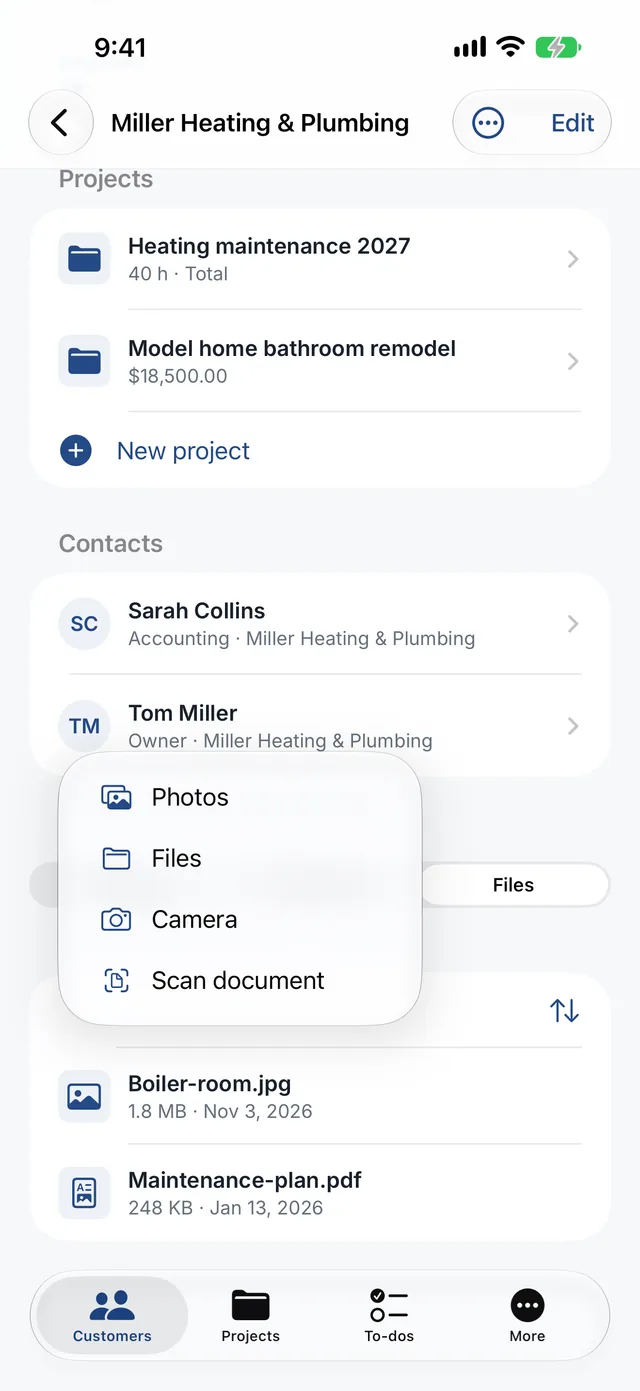
Files of a project in the app with the menu for photos, files, camera and document scanner

To-dos

To-dos that remind you

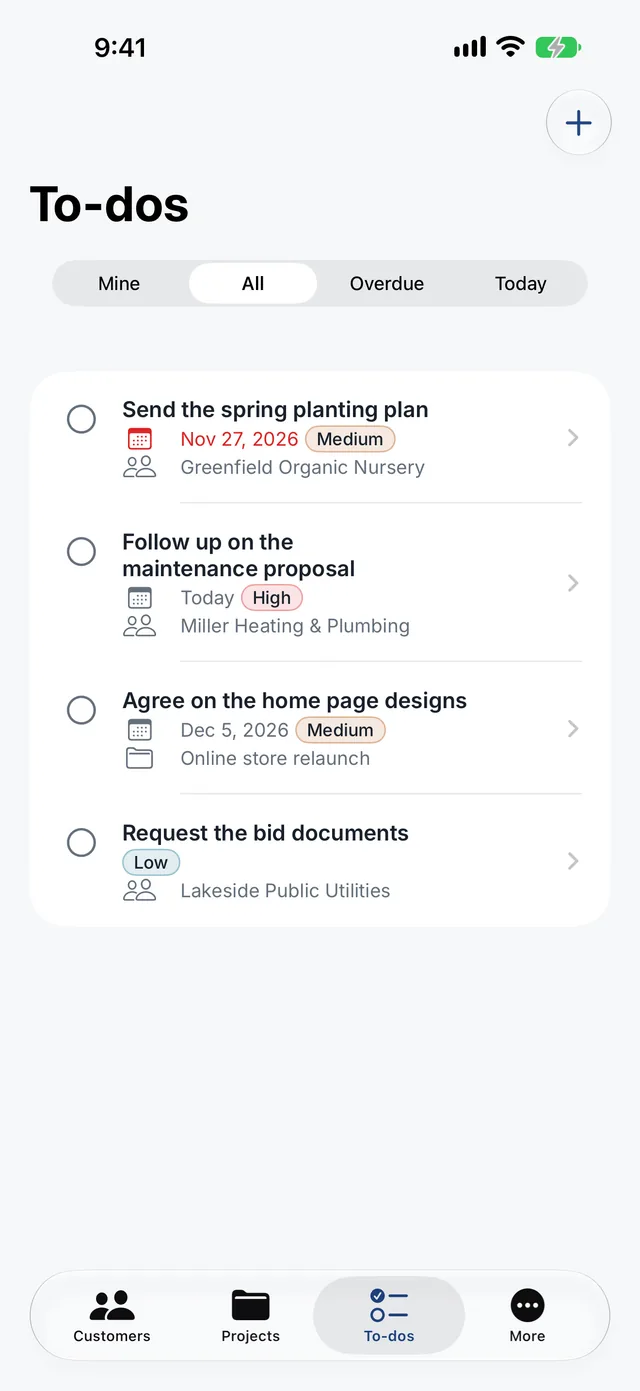
You create to-dos on a client or project, with a due date and a priority. When one is due, you get a notification. The list splits your own to-dos, the overdue ones and today's.

  • Done with one tap, even offline
The app's to-do list with today's due items

Client map

Who is on your route today?

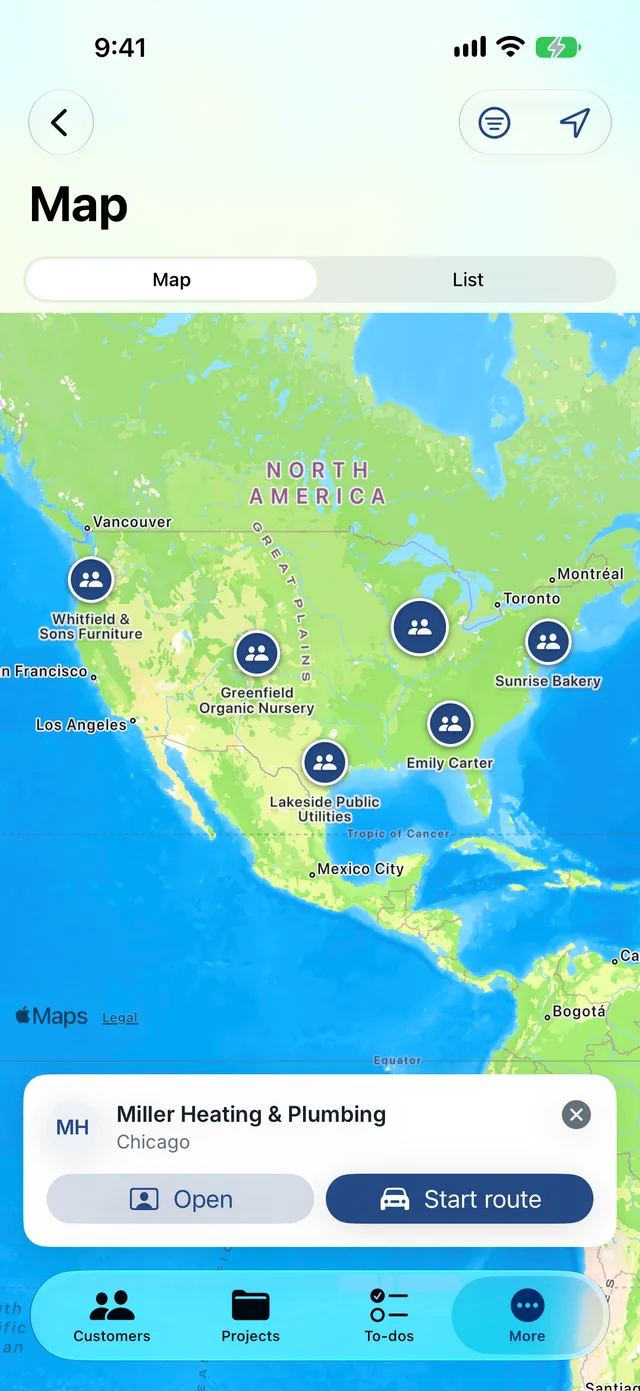
The map shows your clients with an address. Tap one to open the client file or start the route in Apple Maps.

  • Filter by status and tags
  • The app uses your location only when you tap "My location"
The app's client map with nearby clients and the route button

Meetings and birthdays

Know what you talked about last time

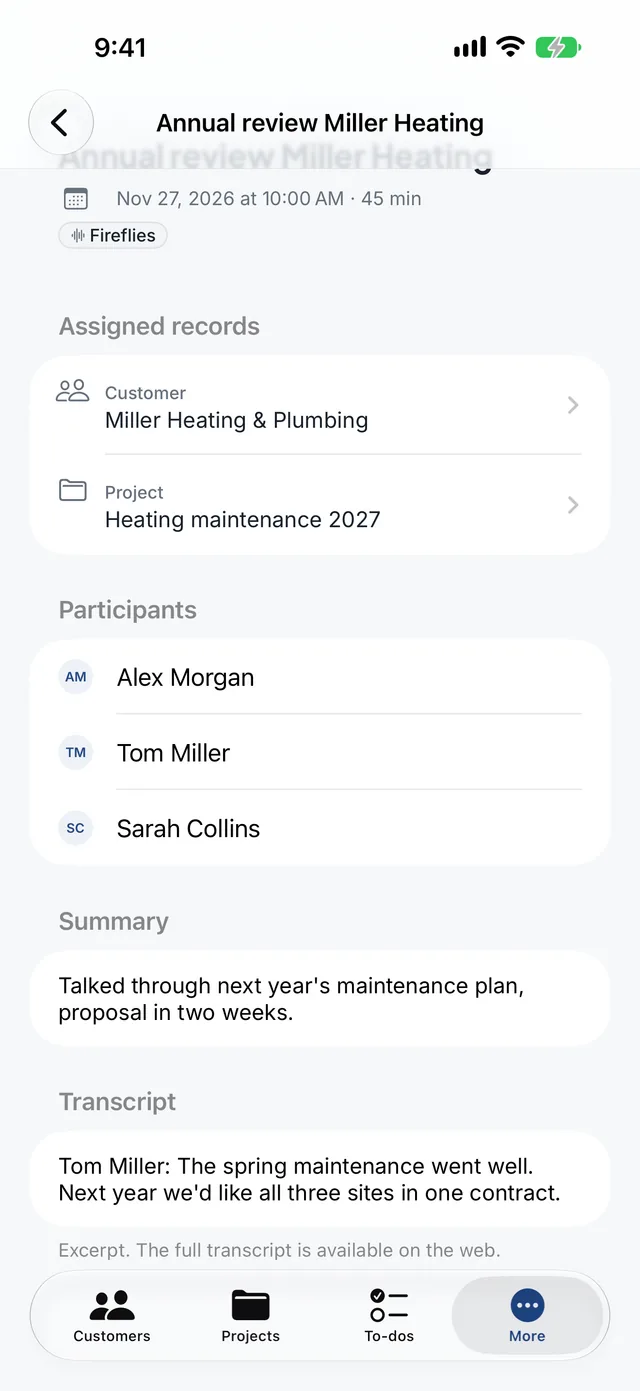
Meetings from Fireflies and MeetGeek sit on the client with a summary and an excerpt of the transcript. A separate list shows your contacts' birthdays for the next twelve months.

A meeting with its summary in the app and the birthdays of the coming weeks

Without signal

Keep working in a dead zone

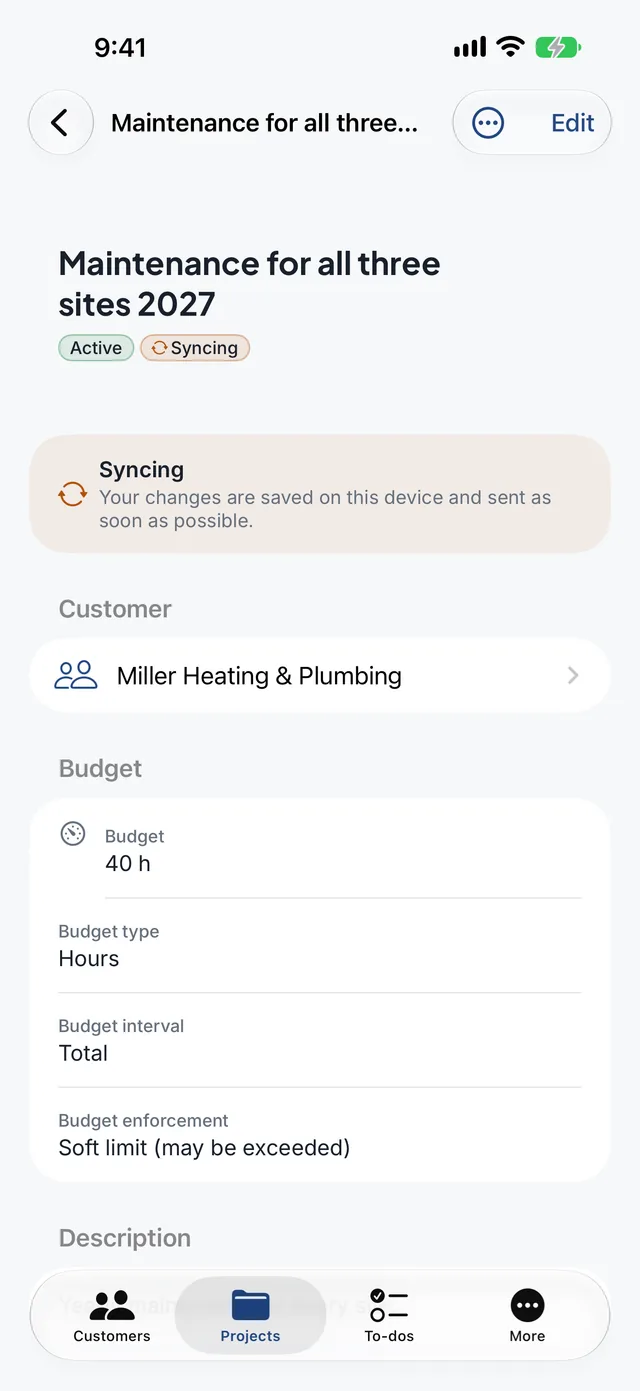
Clients and projects are stored as a copy on your iPhone. You can read and edit them without signal; the app remembers every change and syncs it once you are back online.

  • Sync works field by field. If someone changed the phone number on the web and you changed the address on the road, both changes stay.
  • If you both changed the same field, the app never overwrites anything silently. It shows you both values and you decide which one stays.
  • If the server rejects a change, for example because you lack the right for it, you see why and can retry or discard it.
  • Changes still waiting to sync are listed in Settings under Sync.
A client in the app with a conflict notice and the button to compare values

And a few more things that help

Spotlight and Siri

Find clients through iPhone search. With Siri you open a client, create a to-do or dictate a note.

From other apps

Send a PDF from Mail or a photo from your library straight to a client or project with "Share".

Team timeline

Everything your team logged across all clients in one list, sorted by day and filterable by type.

No tracking

No ads, no analytics tools. Your data is stored on servers in Germany and encrypted on your device.

You edit contacts in FlowContacts

In FlowCRM you see your clients' contacts with phone, email and address, and you can call them right away. You cannot change them here. One tap on "Open in FlowContacts" takes you to the free FlowContacts app, where you edit them.

More about FlowContacts

What stays on the web

Quotes and invoices, leads, conversations from FlowSupport, exports and your team settings stay in the browser. That is also where you create your account and team.

Explore FlowCRM on the web

Frequently asked questions

Put your client files on your iPhone

Sign in with your FlowSuite account. If you do not have one yet, create it on the web.

Coming soon to the App Store

Create an account on the web