
FlowTime
A time clock for the workshop, project hours for the agency.
Your team clocks in, takes breaks and clocks out, or logs hours against customers and projects from FlowCRM. Reports, the overtime balance, absences and the shift plan live in the same module.
- Two ways of working
- Add missed hours
- Forgotten timers

01How you work with it
From the timer to the shift plan
Three screens from a normal week with FlowTime. Pick one and the matching view appears next to it.
Choose a project and start the timer. It keeps running in the navigation bar while you work in another module. Below it you see your entries with daily and weekly totals.
Filter by project, customer and team member, with rounding if you want it. Export the report as a PDF with or without amounts; the detailed report also exports to CSV.
Build the week from templates or copy another week, then publish it. Understaffed shifts and absences are flagged right in the plan.


Screen with sample data
02Features
What else FlowTime does
Two ways of working
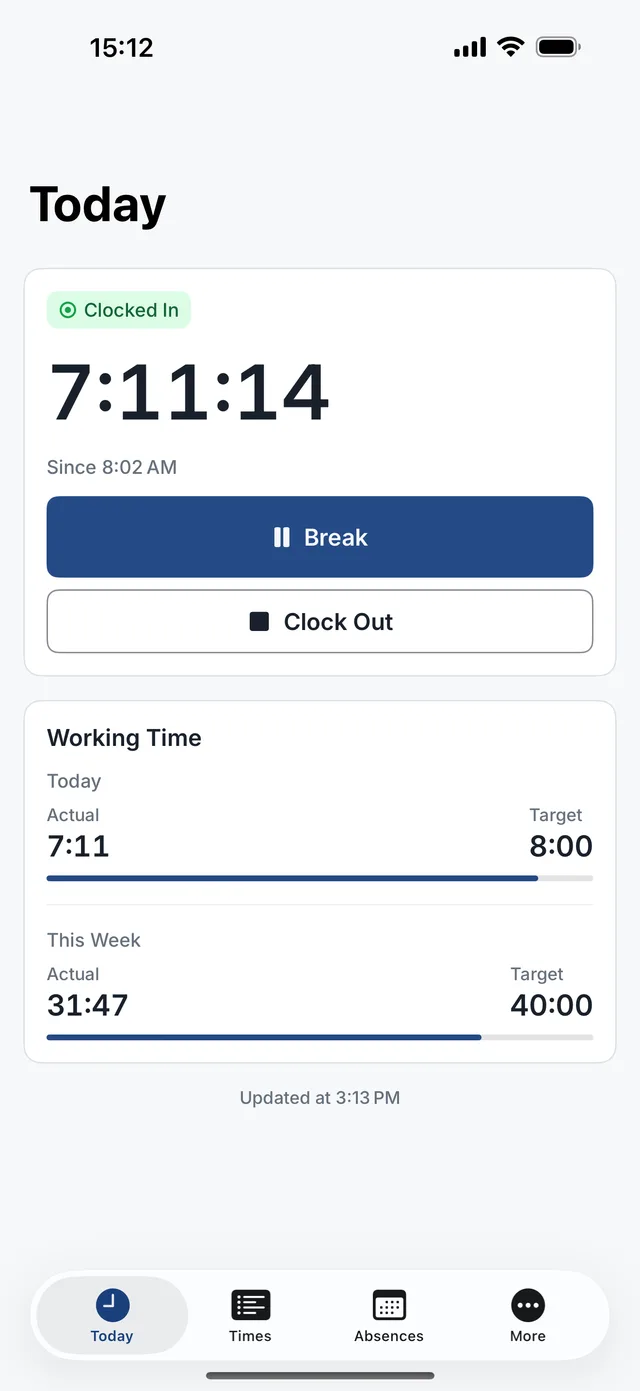
Simple time tracking with clock-in, break and clock-out, or project mode with customer, project and description. The choice applies to the whole team and can be changed in the team settings.
Add missed hours
Hours you forgot to track can be added afterwards, even across midnight. If an entry overlaps another one, FlowTime points it out when you save.
Forgotten timers
If a timer runs for more than twelve hours, FlowTime ends it overnight at the twelve-hour mark, emails you and records it in the log.
Projects with a budget
Projects get a color and an hourly rate. The project record shows the budget in hours or money as a bar that turns yellow at 80 percent and red once it is exceeded.
Target hours and overtime
Set weekly hours and working days per person, and FlowTime keeps an overtime balance from them. Every correction needs a reason and stays visible in the history.
Absences
Your team requests vacation, sick days, time off in lieu and business trips on the web. You decide in the team view with a monthly calendar. Public holidays come per German federal state.
Shifts
Shift types such as early and late, templates with minimum and maximum staffing. Your team confirms or declines shifts and says which weekdays work for them.
Pay and annual report
Store an hourly wage or monthly salary per person from a start date. The annual report shows hours, costs, revenue and profit month by month in your team's currency.
Permissions and live view
Reports, team reports, projects, logs and shift planning are separate permissions. Whoever may see team reports also sees on the dashboard who is tracking time right now.
03iPhone and iPad
FlowTime is also an app
In the app you clock in with one tap, even without signal. It comes with a Live Activity, widgets and Siri, and you can request time off on the go. The app is coming to the App Store soon.
04Connected
What FlowTime shares with the other modules
Customers and projects come from FlowCRM. The project record shows the tracked hours and the budget status in its FlowTime tab.
Ask FlowAI in the chat about hours, reports and shifts, or have it start and stop a timer.
Anyone with an approved full-day absence in FlowTime gets no FlowLoop question that day.
05Interfaces
REST API and MCP server
With the REST API you start and stop timers, toggle breaks, create entries and projects, and read reports, target hours and absences. Through the FlowTime MCP server, AI assistants work with timers, entries, projects, reports and shifts. You create API keys in your FlowSuite settings; MCP keys and OAuth sign-ins live in FlowConnect.
Questions and answers
