Menu

FlowTasks app icon

FlowTasks for iPhone and iPad

What is due today, from every board

One look at your iPhone in the morning and you know what is due: your own to-dos and every card assigned to you on your team's boards. Checking off and moving cards works without a signal, too.

Coming soon to the App Store

FlowTasks in the browser

For teams that use FlowSuite with FlowTasks. You sign in with your FlowSuite account. Requires iOS 26.

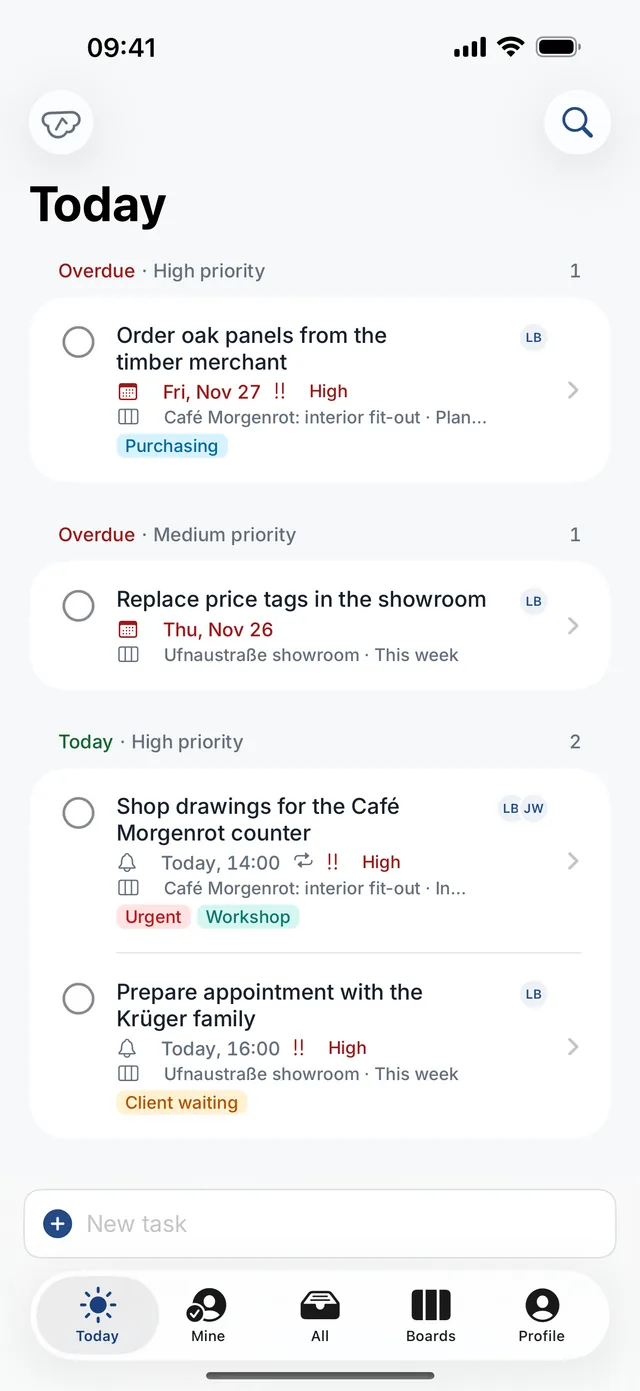
The FlowTasks app on iPhone: the Today list with tasks due from personal to-dos and three boards

Today, Mine, All

Three lists instead of clicking through ten boards

If you work on several boards, you usually hunt for your tasks column by column. The app gathers them for you. Today shows what is due today or already overdue, Mine everything assigned to you, and All every task you are allowed to see.

  • Due tasks with time, board and labels on one line
  • Add a task with the quick entry at the bottom of the list
  • Search and filters for when the list gets long

What else the app does

The app works with your team's FlowSuite account. What you change on the go shows up on the web afterwards, and the other way round.

Kanban

Your team's board in your pocket

Columns sit side by side. Drag a card into the next column, or use "Move to" to send it to a specific one. On iPad you see several columns at once.

  • You also manage boards, columns, labels and members with their roles in the app
  • While a board is open, the app fetches everyone else's changes every minute
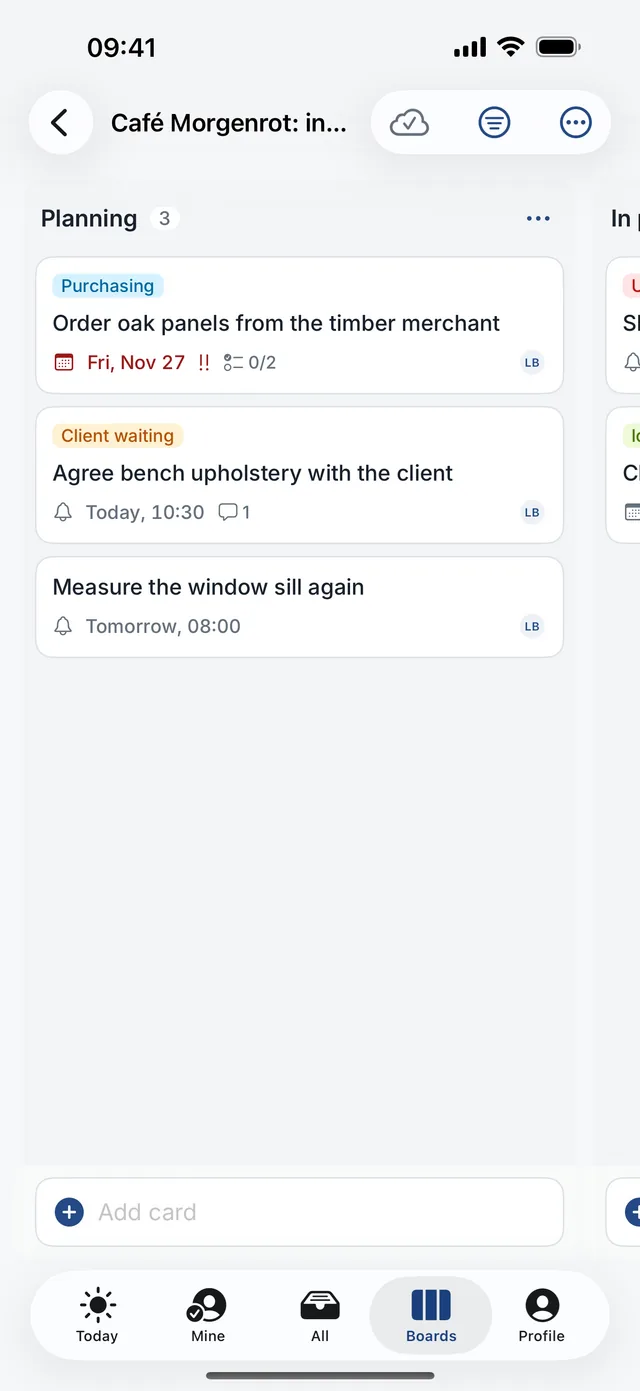
Kanban board in the app with several columns and cards

FlowCRM

Every task on the right customer

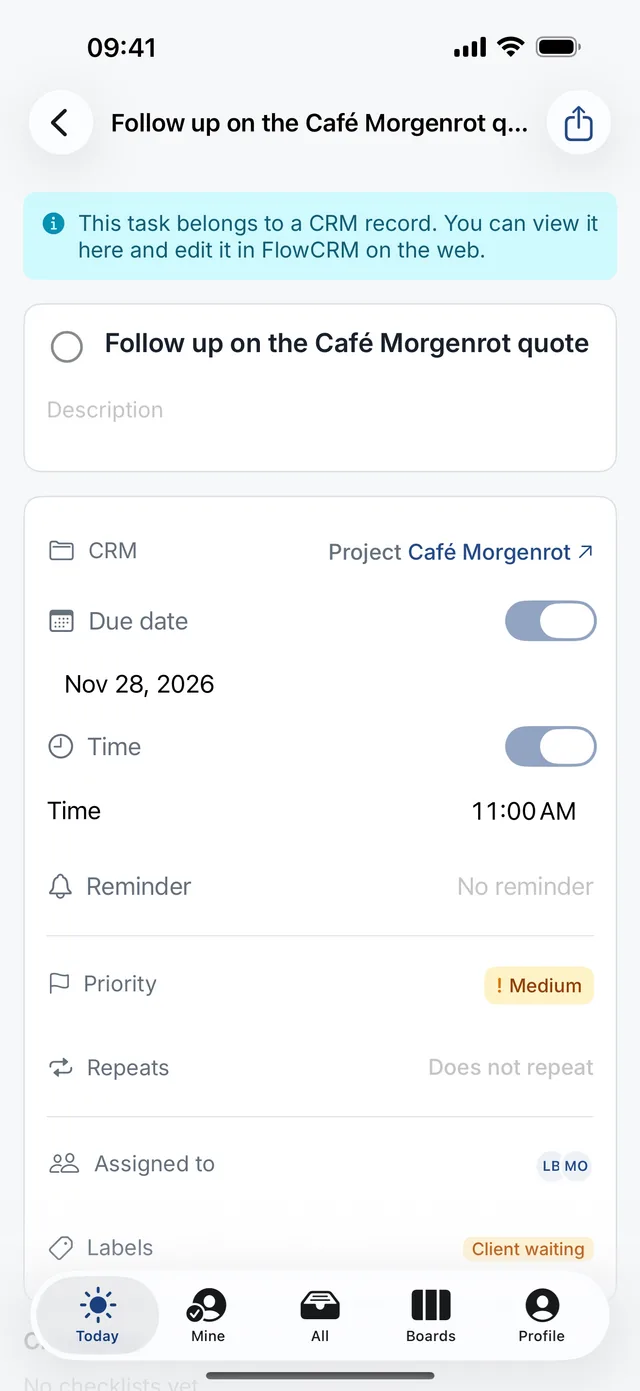
When a task in FlowCRM belongs to a customer, contact, project or lead, the card shows that link. One tap opens the record in the browser. The app shows these tasks read-only. You check them off and edit them in FlowCRM.

  • CRM tasks assigned to you appear in Today and Mine
  • You only see the customer's name if you have the matching right in FlowCRM
Task detail in the app with the customer link, a due date with time and two assignees

Offline

No signal? Keep working

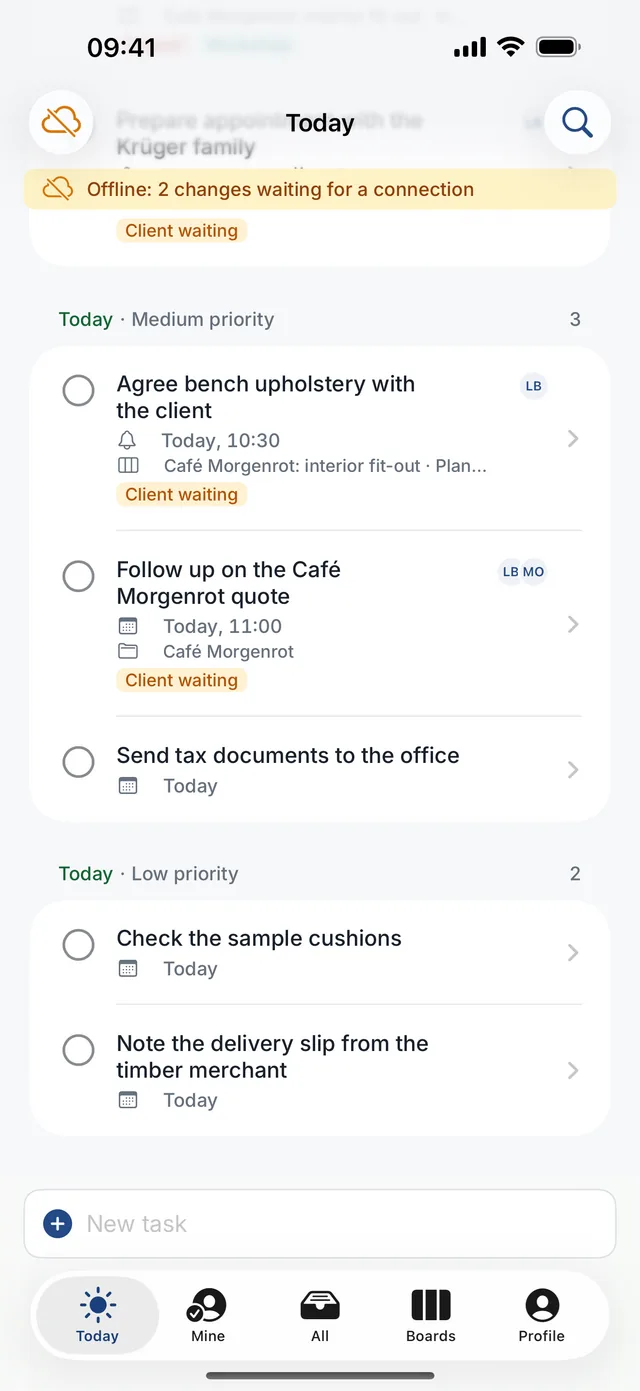
Your team's tasks are stored as a copy on your iPhone. On the train or on a building site you create tasks, check them off, move and comment on them. The app remembers every change and syncs it as soon as you are back online.

  • If someone changed the same task in the meantime, the later change wins
  • If the server refuses a change, for example because you lack the right, the app tells you
  • Photos and files wait in the queue and upload once you are online again
The Today list without a connection, with the offline notice and two tasks waiting to sync

Comments

Talk it through on the card

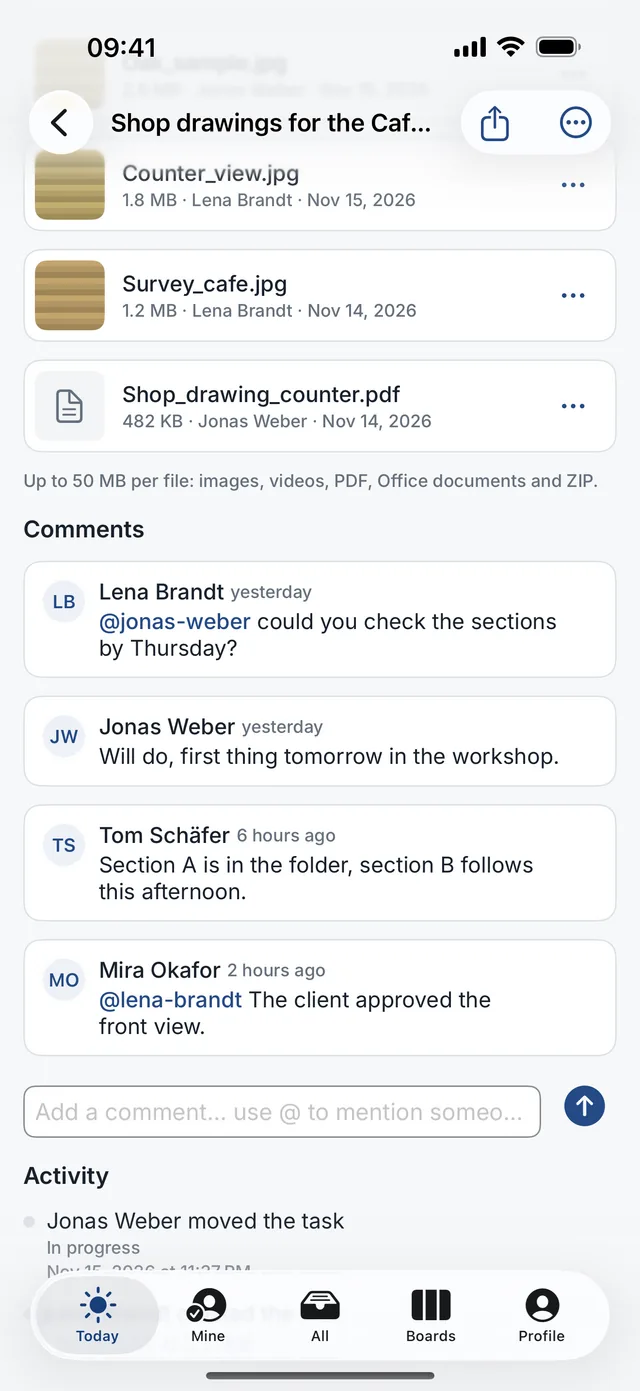
Questions get settled in the task's comments instead of the group chat. Type @ and a name and that person gets a notification. Below, the history shows who moved or checked off the card, and when.

Comments on a task with @mentions and entries in the history

Checklists and reminders

Check off, repeat, get reminded

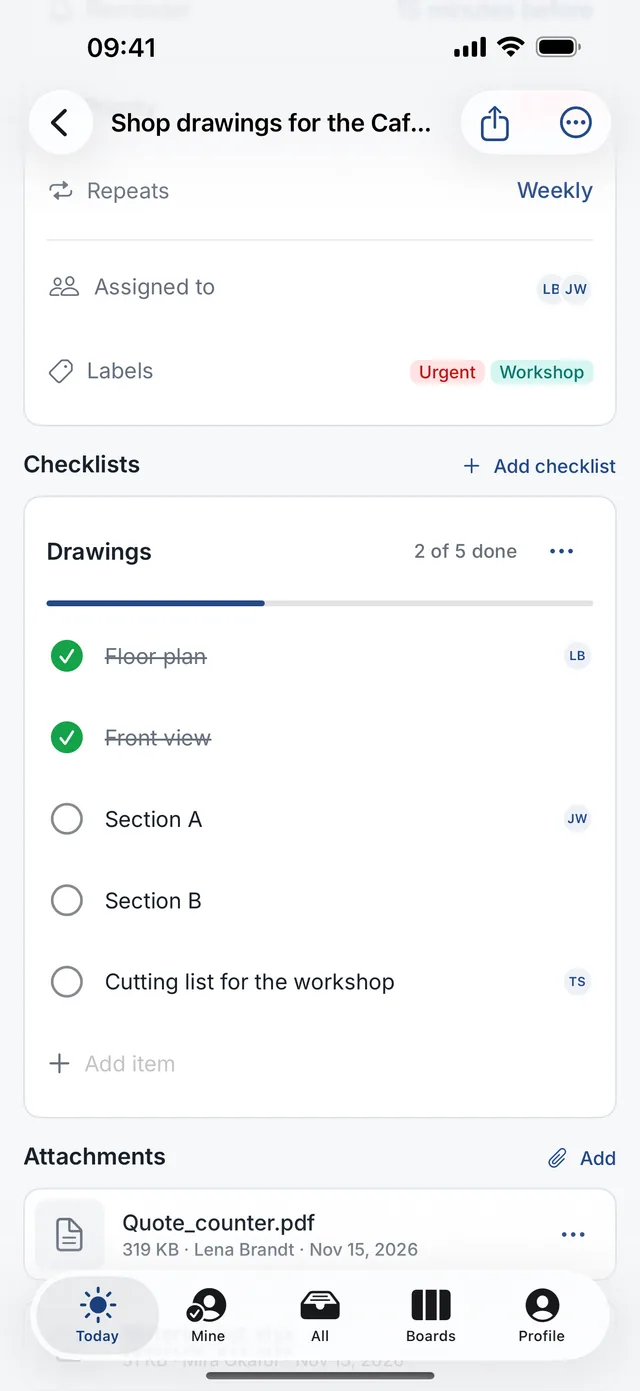
Break big tasks into checklists. Give the due date a time if you need one, plus a reminder at the due time, 15 minutes, one hour or one day before. Recurring tasks move on to the next date once you check them off.

  • The app schedules the reminder on your device, so it arrives without a signal, too
  • Several assignees, labels and a priority per card
Task with a checklist, a weekly repeat and a reminder

Attachments

Photos and files on the card in seconds

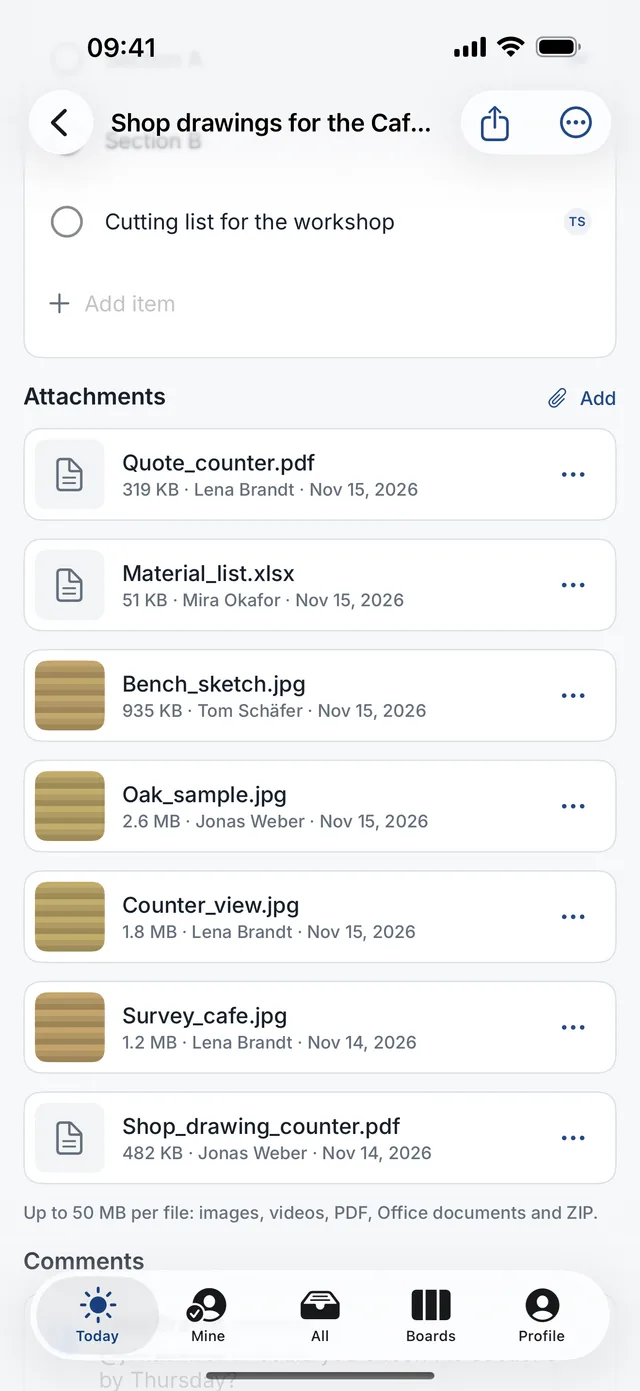
Attach a photo from your library, a new one from the camera or a file from the Files app straight to the task, several at once if you like. The preview opens inside the app, and the share menu passes a file on.

  • Images, videos, PDFs, Office files and ZIP archives up to 50 MB each
  • Close the app mid-upload and the upload carries on in the background
Attachments of a task with thumbnails and an upload in progress

Widget, Siri and Spotlight

Check off a task without opening the app

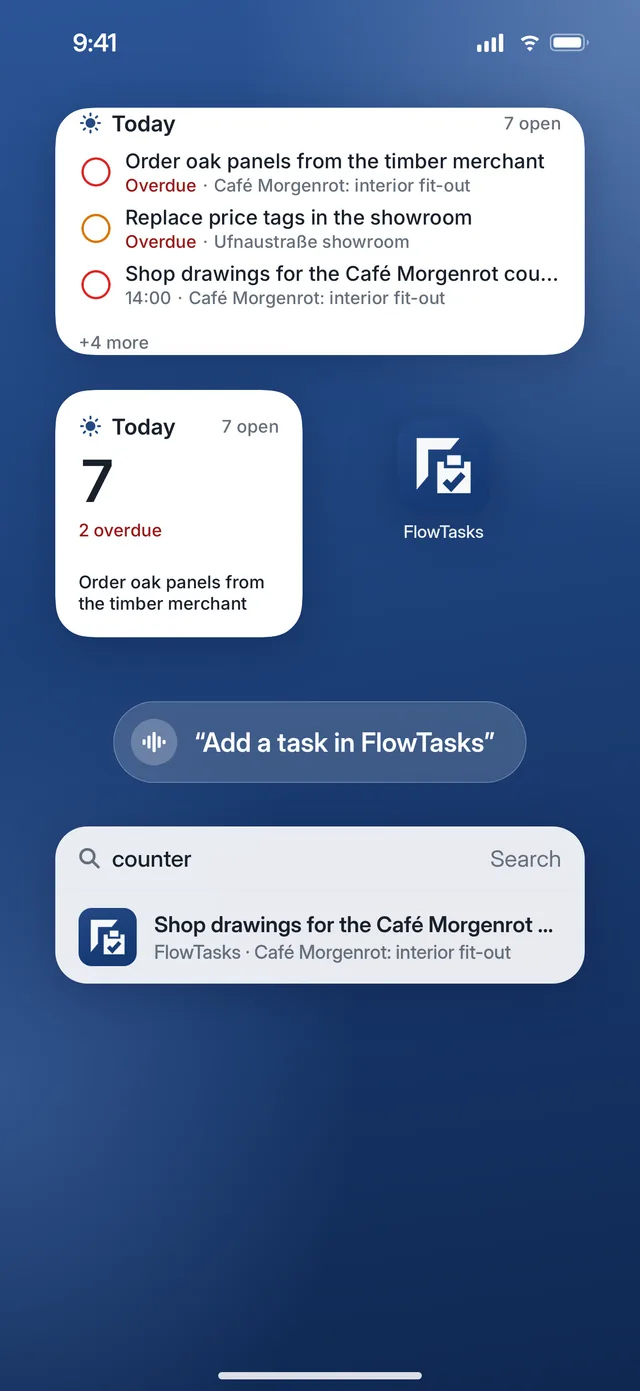
The Today widget shows your due tasks on the Home Screen and the Lock Screen, and you can check them off right in the widget. Siri or the Shortcuts app adds a task for you, and Spotlight finds it from the iPhone's search.

Home Screen with the Today widget, the Siri shortcut and a Spotlight result

And a few more things that help

Notifications

The app lets you know when someone assigns you a task, mentions you or gives you access to a board. In the morning you get a short overview when something is due.

From other apps

Send a PDF from Mail or a photo from your library to an existing task with "Share", or turn it into a new one.

Several teams

If you work in more than one FlowSuite team, switch in the app's profile. The app removes the previous team's tasks from the device as it switches.

No tracking

No ads, no analytics tools, no third-party components. FlowSuite runs on servers in Germany.

What stays on the web

You create your account and team on the web and invite colleagues there. Guests from outside work through their access link in the browser; the app is for the members of your team. FlowTasks has no Gantt charts, dependencies or custom fields, neither on the web nor in the app.

Explore FlowTasks on the web

Frequently asked questions

Get your team's tasks on your iPhone

Sign in with your FlowSuite account. If your team does not use FlowSuite yet, create the account on the web.

Coming soon to the App Store

Create an account on the web